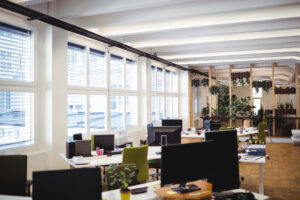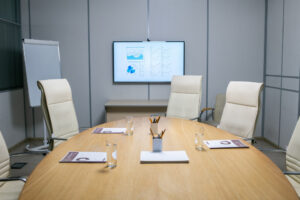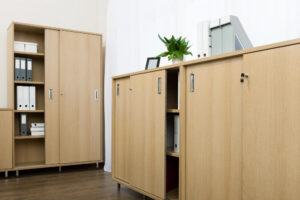
An effective office desk setup directly influences productivity, comfort, and overall workplace satisfaction. The arrangement of a workstation affects posture, workflow efficiency, and mental clarity throughout the day. Modern corporate environments place greater focus on intentional design choices that support both performance and employee well-being.
A thoughtfully arranged desk is more than a flat surface with a computer. It is a coordinated system that includes office desks, office chairs, storage, lighting, and technology. When these elements work together, they create a balanced and functional workspace that supports daily demands.
Below are practical and strategic ideas to help transform any workstation into a high-performing professional environment.
Start With the Right Desk Dimensions
Every successful office desk setup begins with selecting appropriate desk dimensions. A surface that is too small leads to clutter and restricts movement. An oversized desk can dominate the room and interrupt workflow patterns.
Daily responsibilities should guide selection. Employees using multiple monitors, paperwork, and various devices require larger surfaces. Team members in collaborative or minimalist roles may function better with compact and streamlined desks.
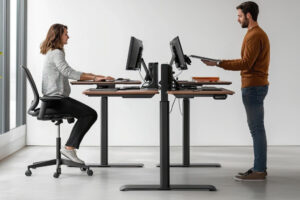
Desk height is equally important. Standard desks measure between 28 and 30 inches in height. Adjustable-height desks support sit-stand functionality and promote movement during the day, reducing extended sitting.
Invest in Ergonomic Seating
Supportive seating is essential to any productive office desk setup. Office chairs must align with desk height and promote healthy posture. Adjustable lumbar support, armrests, and seat height help maintain neutral body positioning.
An outdated or worn chair can negatively impact posture and focus. Just as businesses evaluate desk layouts, they should also periodically assess seating quality and condition. Comfort and support are directly tied to workplace performance.
Pairing ergonomic office chairs with properly scaled office desks creates a balanced and reliable workstation.
Optimize Monitor Placement
Monitor placement plays a central role in workstation efficiency. Screens should remain at eye level and approximately an arm’s length from the user. Proper alignment reduces neck strain and supports upright posture.
For dual-monitor setups, placing screens side by side at equal height supports seamless task switching. In collaborative settings, adjustable monitor arms allow flexibility for presentations and teamwork.
An intentional office desk setup includes careful attention to visual ergonomics, reducing fatigue during extended screen time.
Incorporate Sit-Stand Flexibility
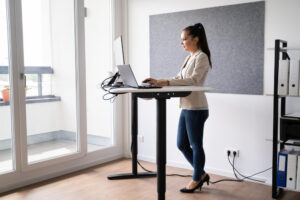
Height-adjustable desks have gained popularity in corporate environments. Alternating between sitting and standing promotes circulation and reduces stiffness.
Integrating sit-stand capabilities into an office desk setup encourages movement without disrupting workflow. When paired with anti-fatigue mats and supportive seating, this configuration supports dynamic work habits. Companies adopting hybrid work models often find adjustable desks beneficial for accommodating different users throughout the week.
Improve Cable Management
Exposed wiring creates visual clutter and potential safety concerns. Organized cable systems contribute to a clean and professional appearance.
Cable trays, clips, and under-desk routing systems help keep cords neatly arranged. Power strips mounted beneath the desk surface reduce tangling and free up valuable workspace. A well-managed desk surface enhances focus and creates a streamlined environment that reflects attention to detail.
Add Functional Storage Solutions
Storage is often overlooked in workstation design. Drawers, mobile pedestals, and overhead shelving keep necessary items accessible without crowding the desk.
In collaborative offices, shared storage units reduce duplication and free up individual work surfaces. Minimalist desk designs paired with smart storage create an uncluttered and efficient space. Balancing open surfaces with hidden storage creates a professional, organized atmosphere.
Prioritize Proper Lighting
Lighting influences mood and productivity. Natural light is ideal, but task lighting can supplement areas with limited window access. Desk lamps with adjustable brightness reduce eye strain and allow users to adapt lighting based on task requirements. Position lighting to minimize glare on screens and reflective surfaces.
Integrate Personalization Without Clutter
Personal touches can make a workstation feel welcoming and motivating. Framed photos, small plants, or decorative accents add character without overwhelming the surface.
Encourage moderation. Too many personal items can reduce usable space and create distractions. A balanced approach supports individuality while maintaining professionalism.
Personalized yet streamlined desks contribute to employee satisfaction and ownership of the workspace.
Maintain Clean Lines and Visual Cohesion
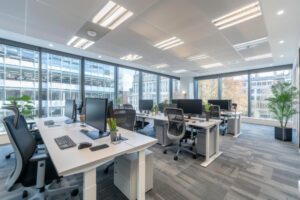
Consistency in furniture style and materials contributes to a cohesive office design. Matching finishes across desks, seating, and storage units strengthens visual harmony.
When expanding or renovating, updating selections to match existing furniture preserves a unified aesthetic. Clean lines communicate professionalism to both employees and visitors. An organized office desk setup reflects intentional design and operational efficiency.
Evaluate Layout for Workflow Efficiency
Desk placement within the overall office influences productivity. Consider proximity to shared equipment, meeting areas, and natural traffic paths.
Positioning desks to minimize distractions supports concentration. In open-plan offices, acoustic panels or partitions can reduce noise while preserving connectivity. Regularly reviewing layout effectiveness allows businesses to adapt as teams grow and operational needs shift.
Plan for Long-Term Durability
Furniture quality directly impacts longevity. Just as companies assess how long seating lasts before replacement, desks should also be evaluated for wear and structural integrity. High-use environments demand durable surfaces resistant to scratches and daily strain. Investing in solid construction reduces long-term replacement frequency.
A strategic office desk setup accounts for both current functionality and future growth, balancing durability with adaptability.
Encourage Movement and Flexibility
Static workstations can contribute to fatigue. Incorporating accessories such as footrests, keyboard trays, and standing supports encourages subtle movement throughout the day.
Modular desks and mobile storage units simplify reconfiguration as teams evolve. Flexible layouts accommodate changing needs without major disruption. An adaptable workspace supports both individual productivity and collaborative engagement.
Align Setup With Company Culture
Workspace design communicates organizational values. Sleek, modern desks paired with ergonomic seating reflect innovation and forward-thinking leadership. Traditional wood finishes may communicate stability and heritage.
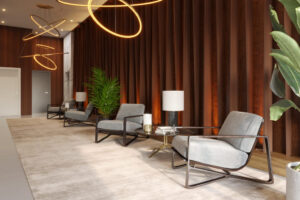
Reception areas, training rooms, and collaborative hubs should align visually with individual workstations. Consistency across environments strengthens brand identity. A well-designed office desk setup serves both functional and symbolic purposes within the corporate setting.
Schedule Periodic Assessments
Workspaces should not remain static for years without review. Periodic evaluations help identify worn surfaces, outdated equipment, or layout inefficiencies.
Gather employee feedback regarding comfort and workflow challenges. Small adjustments often lead to meaningful improvements in daily operations.
Build a Workspace That Supports Performance and Professionalism
A well-planned desk arrangement influences comfort, focus, and overall workplace experience. Thoughtful design choices, from ergonomic seating to organized cable systems, create an environment that supports productivity and long-term value.
NJ Office Furniture Depot helps businesses design and furnish corporate offices, reception and collaborative areas, training and banquet spaces, and facility environments with tailored solutions.
We serve organizations across NJ, PA, NY, and nationwide with new, used, and pre-owned office furniture that aligns with operational goals and budget priorities. Contact us today to transform your workspace with professional-grade furniture solutions.